Improve customer communication and reduce churn with customizable notifications.
RecurringStack™'s notification system allows you to send timely and relevant updates to your customers, keeping them informed about important account events.
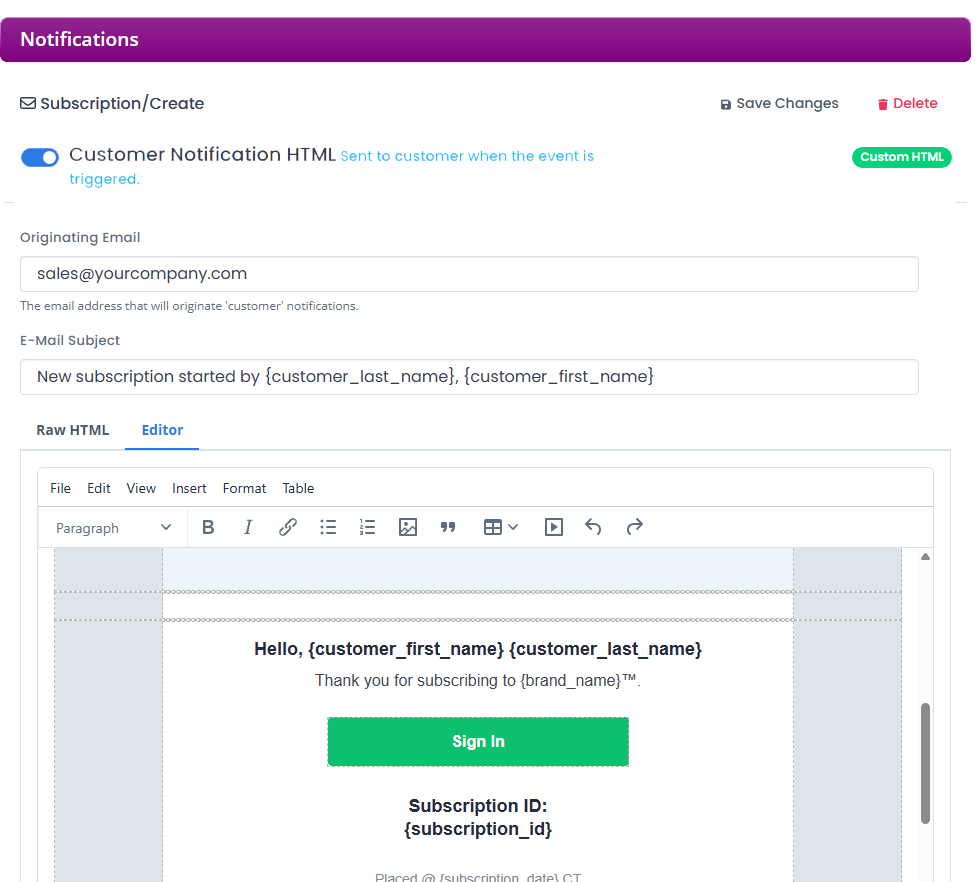


Keep customers updated about what really matters.
Improve customer communication and reduce churn. Send customizable, trackable notifications for key account events: subscriptions, invoices, security updates, and more.
- Notifications are automatically sent to your customers.
- Enable or disable specific notifications at the brand level.
- Use your own "from" address to maintain brand consistency and transparency.
- Reduce support inquiries by proactively informing customers about their accounts.
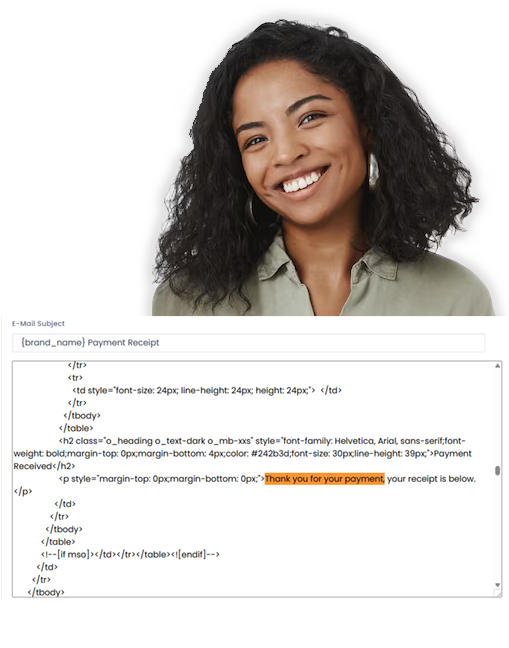
Targeted Notifications
Send notifications to specific customer segments or individuals based on their subscriptions, activity, or other criteria.
Branded Templates
Use pre-designed templates or create your own to match your brand's look and feel, ensuring a consistent customer experience.
Scheduled Notifications
Schedule notifications to be sent at specific times or intervals, ensuring timely delivery for events like payment reminders or trial expirations.
Real-Time Event Triggers
Trigger notifications based on real-time events within your application or the RecurringStack™ platform, such as new sign-ups, successful payments, or failed renewals.
Personalized Content
Use dynamic variables to personalize notifications with customer-specific information, such as name, subscription details, or account balance.
Trackable Performance
Monitor the performance of your notifications with built-in tracking, allowing you to optimize your messaging and improve engagement.
Ready to start collecting payments the easy way?
Convert your business into an automated recurring revenue machine with RecurringStack™
Your Brand, Your Notifications
Craft and control every notification your customers receive. With our intuitive API, you can seamlessly integrate customized, on-brand messages directly into your application, ensuring a consistent and engaging user experience.
                          composer require recurringstack/recurringstack-php

# Create a new email notification
try {

 $rs->createNotification("notification_event" => '', "default_notify_brand" => '', "default_notify_customer" => '', "from_email" => '',"default_notify_brand_email" => '', "subject_brand" => '', "subject_customer" => '', "html_brand" => '', "html_customer" => '');

    } catch (recurringstack\apiException $e) {

 $errorObj = $e->errorAsObject(); //Return the HTTP ->code and error ->message in an object.

}
                        import requests

# Set up the API parameters
parameters = {"notification_event":'Value',"default_notify_brand":'Value',"default_notify_brand_email":'Value',"default_notify_customer":'Value',"subject_brand":'Value',"subject_customer":'Value',"html_brand":'Value',"html_customer":'Value',"from_email":'Value'}

# Make request
response = requests.post("https://api.recurringstack.com/xml/Notification/Create", params=parameters)

# Print the API response
print(response.content)
curl -d "notification_event=Value&default_notify_brand=Value&default_notify_brand_email=Value&default_notify_customer=Value&subject_brand=Value&subject_customer=Value&html_brand=Value&html_customer=Value&from_email=Value" -H "Content-Type: application/x-www-form-urlencoded" -X POST https://api.recurringstack.com/xml/Notification/Create
Yes! We offer beautiful templates for all notifications that require no editing to get started.