Support That Knows
Your Customers.
RecurringStack's Help Desk provides a seamless way to manage customer inquiries, resolve issues faster, and keep support inquiry's organized.

Support with Full Customer Context
Our help desk isn't just another ticketing tool. It's fully integrated with your customer and subscription data, giving your team the immediate context needed to provide faster, more personal, and truly effective support.
Unified Ticketing
Manage all customer inquiries from a single, organized dashboard. Never lose track of a conversation again.
Full Customer Context
Tickets are automatically linked to customer accounts, showing their subscription status, billing history, and more.
Automated Notifications
Keep customers and staff in the loop with fully customizable email notifications for ticket creation and replies.
API-Driven Control
Integrate ticketing into your apps. Create, update, and manage tickets programmatically for custom workflows.
Empower Customers with a Self-Service Portal
Reduce your support load by giving your customers the tools they need. Account Panel offers a pre-built, brandable interface for customers to submit, view, and reply to their support tickets.
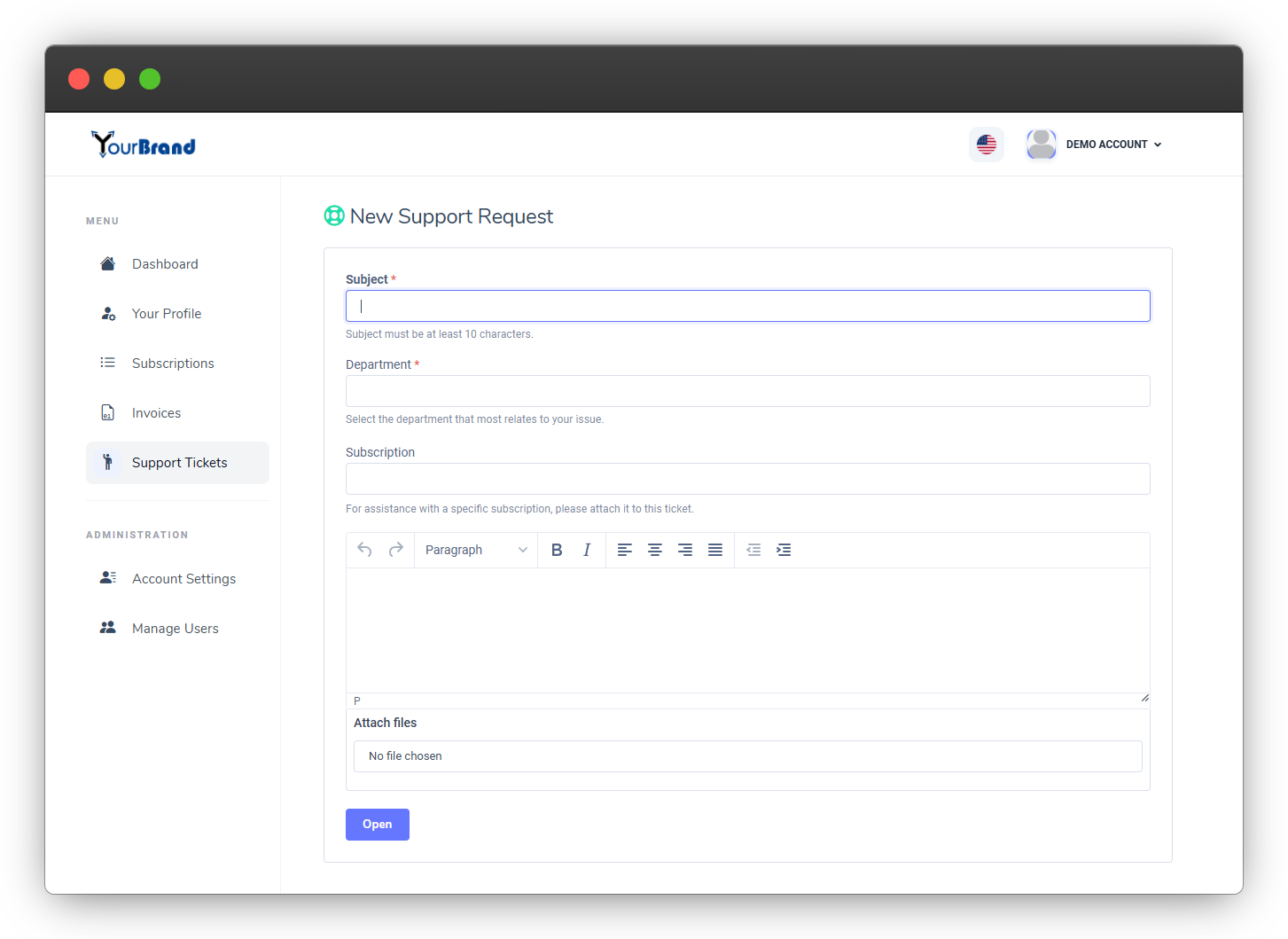
Branded Portal
Customize your Account Panel with your logo and theme for a seamless brand experience.
Customer Self-Service
Allow customers to track ticket status and history without contacting your team.
Stay in the Loop with Email Notifications
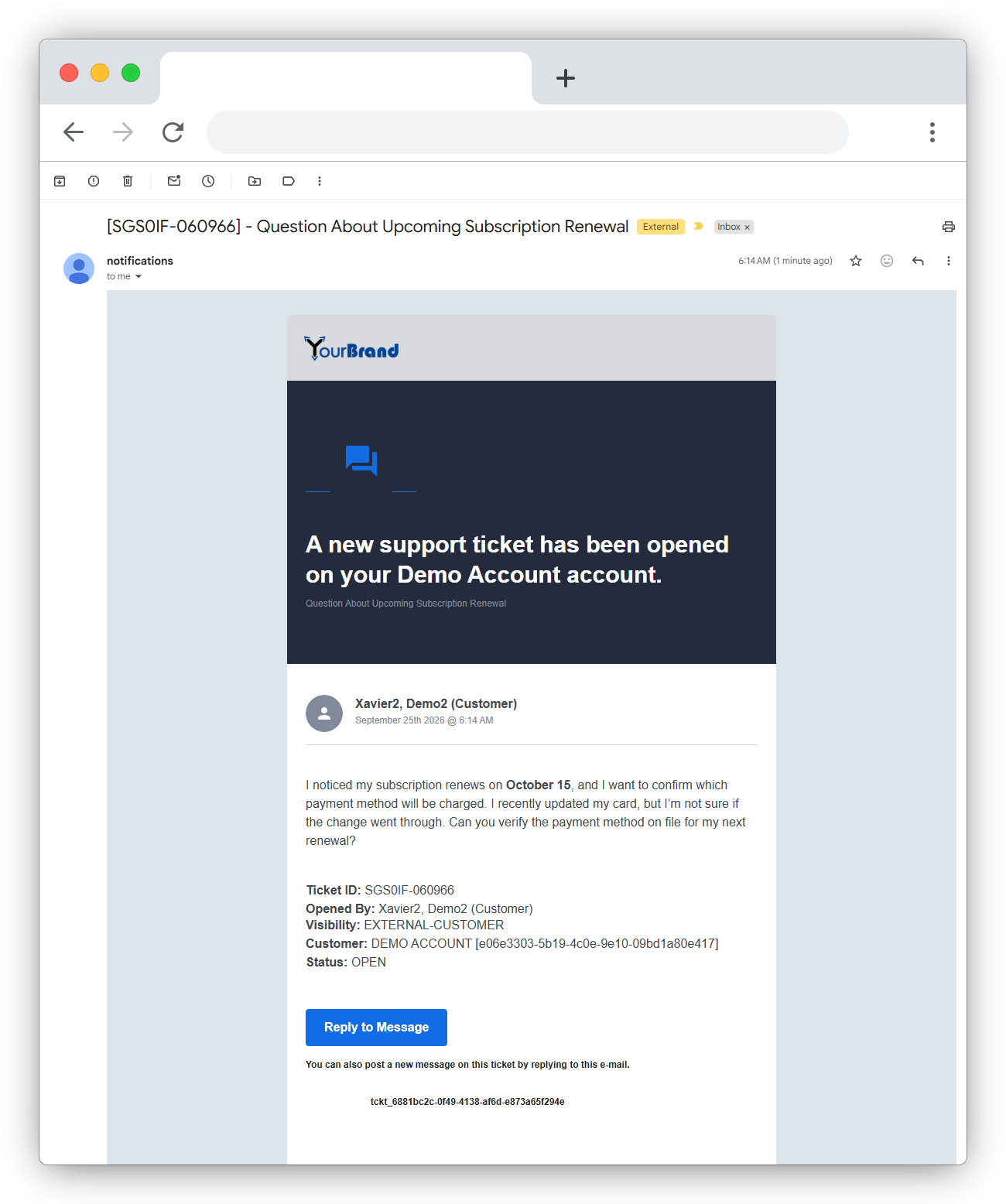
Never miss an update. Our system sends automatic, fully customizable email notifications to both customers and staff whenever a ticket is created or a new reply is posted.
- Reply via Email: Both customers and support staff can simply reply to the notification email to add a new message to the ticket thread.
- Fully Customizable: Modify the email templates with your own branding, colors, and content to ensure a consistent customer experience.
Build Automated, Context‑Aware Support Workflows
Leverage our REST API to build custom support solutions. Programmatically manage tickets from your application, website contact form, or any other system to streamline your support process.
composer require recurringstack/recurringstack-php

# Create a new ticket message.
try {

 $rs->createTicket("type" => '', "message" => '');

    } catch (recurringstack\apiException $e) {

 $errorObj = $e->errorAsObject(); //Return the HTTP ->code and error ->message in an object.

}
import requests
# Set up the API parameters
parameters = {"type":'Value',"ticket_id":'Value',"message":'Value',"attachments":'Value',"subject":'Value',"direction":'Value',"department":'Value',"customer_account_id":'Value',"customer_user_id":'Value',"subscription_id":'Value',"guest_email":'Value'}
# Make request
response = requests.post("https://api.recurringstack.com/xml/Ticket/Create", params=parameters)
# Print the API response
print(response.content)curl -d "type=Value&ticket_id=Value&message=Value&attachments=Value&subject=Value&direction=Value&department=Value&customer_account_id=Value&customer_user_id=Value&subscription_id=Value&guest_email=Value" -H "Content-Type: application/x-www-form-urlencoded" -X POST https://api.recurringstack.com/xml/Ticket/CreateManage Content with Ease
While your customers enjoy the beautiful front-end you build, your team can manage all library content from the comfort of the RecurringStack™ RevenuePanel. It's the perfect combination of a powerful API for developers and an intuitive UI for content managers.
- Intuitive WYSIWYG editor for creating articles.
- Drag-and-drop category management.
- No technical expertise needed for your content team.

Build Your Vision with the Article API
Our REST API is the heart of the Library feature. It gives you complete programmatic control to create, retrieve, update, and delete articles, enabling you to build a truly custom front-end experience for your users.
composer require recurringstack/recurringstack-php

# Create a new ticket message.
try {

 $rs->createTicket("type" => '', "message" => '');

    } catch (recurringstack\apiException $e) {

 $errorObj = $e->errorAsObject(); //Return the HTTP ->code and error ->message in an object.

}
import requests
# Set up the API parameters
parameters = {"type":'Value',"ticket_id":'Value',"message":'Value',"attachments":'Value',"subject":'Value',"direction":'Value',"department":'Value',"customer_account_id":'Value',"customer_user_id":'Value',"subscription_id":'Value',"guest_email":'Value'}
# Make request
response = requests.post("https://api.recurringstack.com/xml/Ticket/Create", params=parameters)
# Print the API response
print(response.content)curl -d "type=Value&ticket_id=Value&message=Value&attachments=Value&subject=Value&direction=Value&department=Value&customer_account_id=Value&customer_user_id=Value&subscription_id=Value&guest_email=Value" -H "Content-Type: application/x-www-form-urlencoded" -X POST https://api.recurringstack.com/xml/Ticket/CreateReady to Revolutionize Your Customer Support?
Integrate a smarter help desk and provide the service your customers deserve.